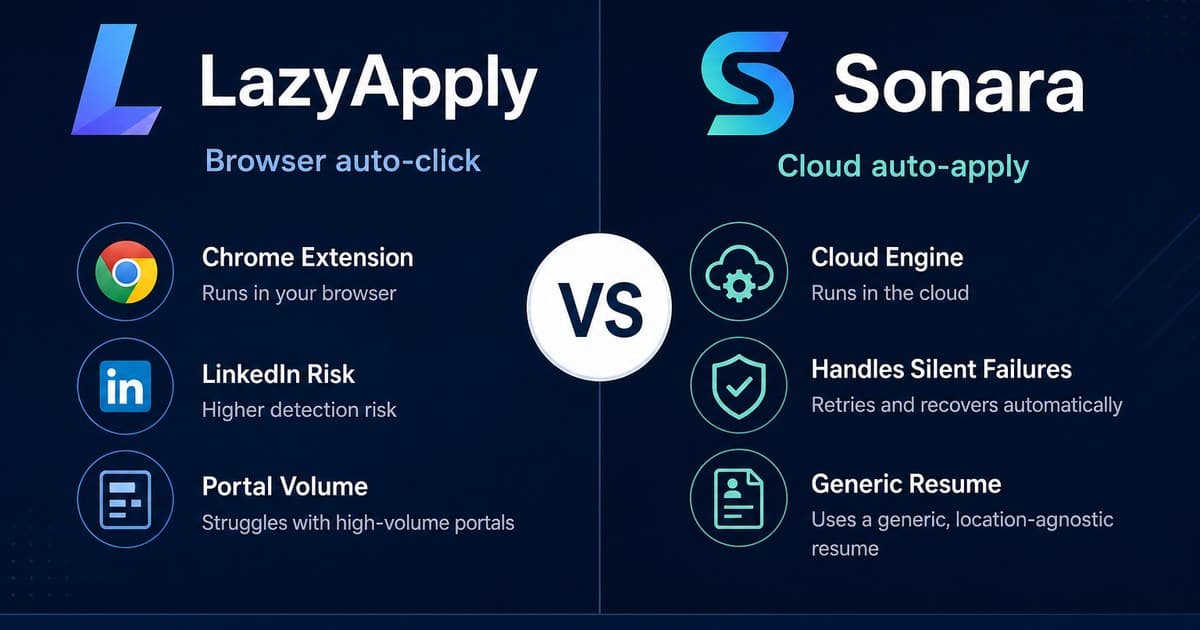
LazyApply is a browser auto-click extension that submits portal applications from your Chrome session; Sonara is a cloud auto-apply engine that submits on your behalf in the background. Pick LazyApply if you want local control and high Indeed volume and accept LinkedIn ban risk. Pick Sonara if you want hands-off cloud volume and accept silent failures plus a generic resume. Neither replaces verified hiring-manager cold email from your own Gmail.
Searchers typing lazyapply vs sonara usually want one answer: which auto-apply tool wastes less money and less reputation. They are not interchangeable. LazyApply optimizes how fast your browser clicks Apply. Sonara optimizes how many applications a remote engine can queue. Both still land you in ATS queues. The right pick depends on whether you fear LinkedIn enforcement more than dashboard lies, and whether volume or conversations is the metric you care about.
For deeper trust context, read whether LazyApply is safe, whether Sonara is legit, and our LazyApply alternative and Sonara alternative guides before you subscribe to either.
What is LazyApply and what is Sonara?
LazyApply is a Chrome extension that extracts resume data and auto-fills or auto-submits applications across LinkedIn, Indeed, and ZipRecruiter from your live browser session. You stay on the machine; the extension drives the clicks. Sonara is a cloud auto-apply product that matches listings and submits applications remotely, so the work happens on their servers while your dashboard counts submissions.
LazyApply's bet is that local automation saves hours of form filling if you already hunt roles on major US boards. Sonara's bet is that a remote engine can keep applying while you sleep. Third-party 2026 reviews treat both as real products, not scams, and then diverge on risk: LazyApply on account safety and refunds, Sonara on delivery reliability and resume quality.
LazyApply vs Sonara: browser auto-click or cloud auto-apply?
LazyApply wins local control: you see the browser move, you can stop a run, and Indeed or ZipRecruiter volume is where satisfied reviewers cluster. Sonara wins hands-off volume: no extension permissions on every page, and applications continue without keeping Chrome open. The trade-off is visibility. LazyApply's risk sits on your LinkedIn session. Sonara's risk sits on whether the employer ever received what the dashboard marked submitted.
Neither tool changes what happens after the resume hits an ATS. High-velocity identical submissions are exactly what spam filters and recruiter queues are built to group. If your goal is a reply from a hiring manager, browser versus cloud is a secondary choice; channel strategy matters more than where the click runs.
| Dimension | LazyApply | Sonara |
|---|---|---|
| Primary strategy | Browser auto-click: Chrome extension fills and submits portal applications from your session | Cloud auto-apply: remote engine matches listings and submits without a local extension |
| Automation level | High: extension drives Apply clicks on LinkedIn, Indeed, ZipRecruiter at configured daily caps | High: background submissions with dashboard counters; little or no review-before-apply |
| LinkedIn risk | Elevated: automates via your real session and IP; violates LinkedIn automated-tool rules | Lower on LinkedIn session risk; cloud path does not drive your live LinkedIn browser |
| Delivery reliability | Submits when the extension works; reviewers also cite server errors and empty search results | 25% to 40% silent failure rate reported; dashboard still marks many as submitted |
| Resume quality | Resume-driven autofill; volume still tends toward identical high-velocity submissions | One generic resume per role; frequent irrelevant matches in user reports |
| Trust / reviews | ~2.4/5 Trustpilot (~105 reviews); ~56% one-star; refund and support complaints common | ~4.0 to 4.1 Trustpilot (~89 reviews); bimodal; billing surprise drives many one-stars |
| Pricing model | Annual upfront: ~$99 / $149 / $999 per year by daily apply cap; disputed 30-day refund | Low-cost trial auto-renews to ~$24/month; cancellation friction in one-star reviews |
| Outreach channel | Portal queues only; no verified hiring-manager cold email | Portal queues only; no verified hiring-manager cold email |
| Best for | High-volume Indeed users who accept LinkedIn risk and annual billing | Passive seekers who want cloud volume and will verify submissions on employer sites |
Which is safer: LazyApply browser automation or Sonara cloud apply?
Sonara is the safer pick for LinkedIn account health because it does not run a Chrome extension through your live LinkedIn session. LazyApply simulates application activity from your browser and IP, which LinkedIn's User Agreement prohibits for automated tools, and the extension appears on widely cited blacklists of LinkedIn plugins. First detections often mean a short restriction; repeats can mean permanent deletion.
Safety is not only LinkedIn. LazyApply's Trustpilot score sits around 2.4 out of 5 with a large one-star cluster about broken software, ignored support, and refunds that never arrive despite a 30-day guarantee. Sonara scores higher on Trustpilot, roughly 4.0 to 4.1, but that rating can flatter users who never checked whether employers received the applications. Our LazyApply safety review and Sonara legitimacy review unpack both records in detail.
Which tool is more reliable for getting applications delivered?
LazyApply is more transparent when it works: you watch the browser submit, so a failed run is usually visible as an error or empty search. Sonara's documented weak point is silent failure. Independent 2026 reviews and user reports across Trustpilot, Reddit, and Product Hunt describe 25% to 40% of auto-applications marked submitted in the dashboard that never appear on the employer side.
That gap matters more than marketing claims about "applications sent." If you use Sonara, spot-check a sample of target company career pages. If you use LazyApply, treat LinkedIn runs as the highest-risk board and prefer Indeed-style volume only if you accept the account trade-off. Neither dashboard replaces a hiring manager reading a short, specific note in their inbox.
How do LazyApply and Sonara pricing compare in 2026?
LazyApply sells annual plans billed up front: roughly $99 per year for Basic (about 15 applications per day), $149 for Premium (about 150 per day), and $999 for Ultimate (about 1,500 per day). There is no functional free tier, only a restricted preview. Sonara is typically entered through a low-cost trial that auto-renews to about $24 per month unless you cancel.
Competitor free trials and free tiers may be named when describing those products. Sonara's trial and LazyApply's preview are their offers, not PitchHired's model. PitchHired runs on pay-as-you-go credit packs. LazyApply's refund follow-through is the most disputed part of its offer; Sonara's one-star reviews often start with billing surprise. For a broader model comparison, see job search credits versus subscriptions.
Which is better for reply rates and direct outreach?
Neither LazyApply nor Sonara is built for verified hiring-manager cold email from your Gmail. Both optimize portal throughput. Research aggregated by interviewing.io suggests cold outreach to hiring managers can produce responses at one to two orders of magnitude higher rates than online applying alone. TurnAndTurn, cited in outreach research roundups, cites personalized cold email reply rates around 40 to 50 percent versus 2 to 3 percent for generic applications. Best-practice cold notes stay around 50 to 125 words, with one follow-up at five to seven days.
Auto-apply reply rates in Reddit-tested anecdotes often sit near 0 to 1 percent per 100 to 300 applications. For reply-rate context and templates, see cold email reply rates for job seekers and how to bypass ATS with direct recruiter outreach.
When does direct Gmail outreach beat both auto-apply tools?
When you need conversations, not submission counters, direct outreach from your authenticated Gmail beats browser auto-click and cloud auto-apply. PitchHired targets verified decision-makers, drafts with a dual-AI writer and reviewer loop, researches the company from scraped markdown, and schedules sends in business-hour windows with daily caps and inbox warming tiers.
- Candidate brief from your CV. An AI-generated profile from your skills, portfolio, and uploaded CV grounds every message in your real background.
- Hiring Manager Finder. Lead targeting through Hunter and Apollo enrichment identifies the right stakeholder, not a random portal queue.
- Dual-AI email loop. A writer agent drafts; a reviewer agent critiques before anything is scheduled.
- Gmail OAuth delivery. Messages send from your own inbox with SPF, DKIM, and DMARC alignment inherited from Google's infrastructure.
- Paced, scheduled sends. Business-weekday windows, randomized delays between sends, and daily caps tied to inbox warming reduce deliverability risk.
- Outreach event ledger. Draft, scheduled, and sent rows give you a clear audit trail per recipient, with no silent dashboard fiction.
A simple decision matrix:
- Choose LazyApply if: you want browser-visible Indeed volume, accept LinkedIn automation risk, and can live with annual upfront billing.
- Choose Sonara if: you want cloud hands-off apply, will verify submissions on employer sites, and set a cancel reminder before the trial converts.
- Choose direct outreach if: you need replies from hiring managers, not more ATS entries from either auto-apply path.
LazyApply vs Sonara: frequently asked questions
Is LazyApply or Sonara safer for my LinkedIn account?
Sonara is safer on LinkedIn because it runs cloud auto-apply without driving a Chrome extension through your live LinkedIn session. LazyApply automates applications from your browser using your real session and IP, which violates LinkedIn's rules on automated tools and appears on widely cited plugin blacklists. If protecting a long-built LinkedIn network matters more than raw volume, avoid browser auto-click tools.
Does LazyApply or Sonara actually get applications to employers?
LazyApply does submit applications when the extension works, especially on Indeed and ZipRecruiter, though reviewers also report server errors and zero-result searches. Sonara's bigger reliability issue is silent failure: independent 2026 reviews and user reports describe 25% to 40% of dashboard-marked submissions never reaching the employer. Always spot-check a sample on the company career page before trusting either counter.
LazyApply vs Sonara: which is better for reply rates?
Neither optimizes reply rate. Both push volume into ATS portals with little or no per-role tailoring. Research aggregated by interviewing.io suggests cold outreach to hiring managers can produce responses at one to two orders of magnitude higher rates than online applying alone. TurnAndTurn cites personalized cold email reply rates around 40 to 50 percent versus 2 to 3 percent for generic applications. Browser or cloud auto-apply does not change that funnel.
Is LazyApply or Sonara worth paying for in 2026?
Pay LazyApply only if you accept LinkedIn ban risk, annual upfront billing, and a disputed refund process for high-volume Indeed-style applying. Pay Sonara only if you accept a reported 25% to 40% silent failure rate, one generic resume per role, and an auto-renewing trial that converts to about $24 per month. Skip both if your bottleneck is reaching a named hiring manager with credible copy from your own Gmail.
Ready to land interviews faster?
Stop uploading resumes to automated portals. Start pitching directly to hiring decision-makers today.
Get started